Sunday, January 11, 2015

Flash of Colors

Some new equipment arrived at our University, tools for Videography and Photography, other than that our professor brought this what he calls "Gel" or Color Gels, not sure if that's really the spelling, its a bunch of transparent strips of plastic in different color, it had red, green, blue and yellow, its something that you put in front of the flash that if when the shot is taken, the color of the flash will be influenced by the Gel. It's adviced not to spam the flash or the Gel will melt into the glass of the flash or the plastic holder strapped onto the flash staining them with whatever the color. Anyway, the class activity we did included 3 different colored flashes, and of course with a trigger and a subject.

As the post processing activity, we did some masking on the images.


Sunday, November 23, 2014

Bokeh-dokie

"Bokeh" is the Japanese of "Blur" they said and the first time I heard it was in our Photography class, basically it's an image with a background that is blurred enough that little spots of light would form a shape, the default shape of this blur effect would be circles, but you can get creative with the shape by using a filter. You can make the said filter with a piece of paper and pair of scissors, but its recommendable if you use a black thick paper, a pair of scissors for cutting the cardboard and an X-Acto knife like tool to cut out the shape.

To make the Bokeh filter, you have to cut a piece of the paper small enough to fit in front of your lens. Then cut out a small shape, any desired shape, be it a triangle, a tear drop or even a word, as long as you can do it, cut out from the circular paper, the shape should at least be in sizes one inch and below and in the center of the paper.

Once you have the filter in front of your lens, you got to have a wide Aperture and a fast Shutter Speed, or a small Aperture and a slow Shutter Speed. You can either have a subject or not just as long it can be blurry enough with a manual focus and there're spots or dots of light on the parts that you want to be Bokeh'd.

Some examples which I used with filter with a cut out of a tear drop and an irregularly shaped star that ended up looking like a maple leaf:


Sunday, November 16, 2014

Stage Two

Second semester is here and we continue our Photography lessons with our Concept and Creative Photography class, with the same professor, Sir Rey Mendoza. As an introductory we were asked three questions:

  1. What have we learned from Basic Photography class
  2. What can be improved on ourselves
  3. What are our suggestions and expectations

Quoting from my previous blog post:
"I remember on the first day we were asked about why we want to learn Photography, and I answered: "Even though I already have experience how to use an SLR, the settings like Aperture, ISO and Shutter Speed and some others aren't really cleared up for me, I wanted to know what they are for. ", and after months of attending classes, my goal has been achieved and my questions has been answered, I learned a lot more than just the settings but also how to adjust it according situations."
After all that I've learned and experienced, I know I'm still not fit to go all out with Photography, I still have many things to learn in terms of situational and on the spot set up. I'm not fond of doing coverages for events within the campus because I'm not confident enough nor motivated enough to do so.

Since we usually do our shooting activities within the vicinity of the university, most of us students suggested for an outside activity.

We have four hours of class every Monday afternoon and our first topic was about Camera Raw files. Camera Raw files when compared to JPEG is that it has a larger file size, not ready for printing, contains the data of the shot that can be adjusted and reverted back to the original.

Camera Raw files can't be opened by built in image viewers, you still have to open them with another software, I usually use Photoshop to open it and it pops up a "Camera Raw" window which shows the image and its settings that can be adjusted.

Friday, October 24, 2014

Final Folio

After a semester of Photography class, and after so many shoot inside and outside university premises, we are required to make a printed layout of our best shots. I included photos which were before and after this semester and with all the new things I've learned from class, there were so many things I've done wrong in my old shots, and with that, I'm very grateful to have taken up this Photography class with our Professor, Sir Rey Mendoza.

I remember on the first day we were asked about why we want to learn Photography, and I answered: "Even though I already have experience how to use an SLR, the settings like Aperture, ISO and Shutter Speed and some others aren't really cleared up for me, I wanted to know what they are for. ", and after months of attending classes, my goal has been achieved and my questions has been answered, I learned a lot more than just the settings but also how to adjust it according situations.

Anyway, I have photos of our finals project which is the printed portfolio.


Pano?

We barely touched Photoshop or post processing with the pictures we took during Photography class but since manually stitching Panoramas would be hard, we dived right into Photoshop. 

First you'll need more than 1 shot of photos of any chosen surrounding, make sure when taking the next shot of the series, you shoot at least 20-50% of the previous shot so it would leave some room for the stitching.

And now for the stitching part, you have to open up the photos in Photoshop, go to File>Automate>Photomerge, select the "Auto" option under Layout, if your photos aren't in Photoshop yet, you can browse it, if its already in it, just click "Add Open Files" then click "OK", then wait until it finishes the stitching.

Make sure every shot has the same camera settings and in line with all the shots.

After it has done processing, you can just crop it.

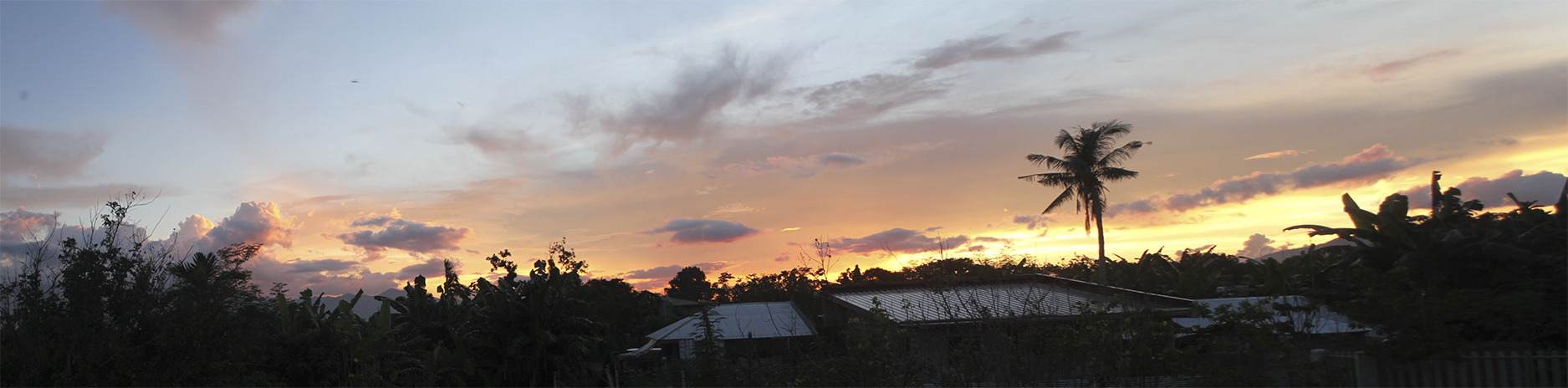
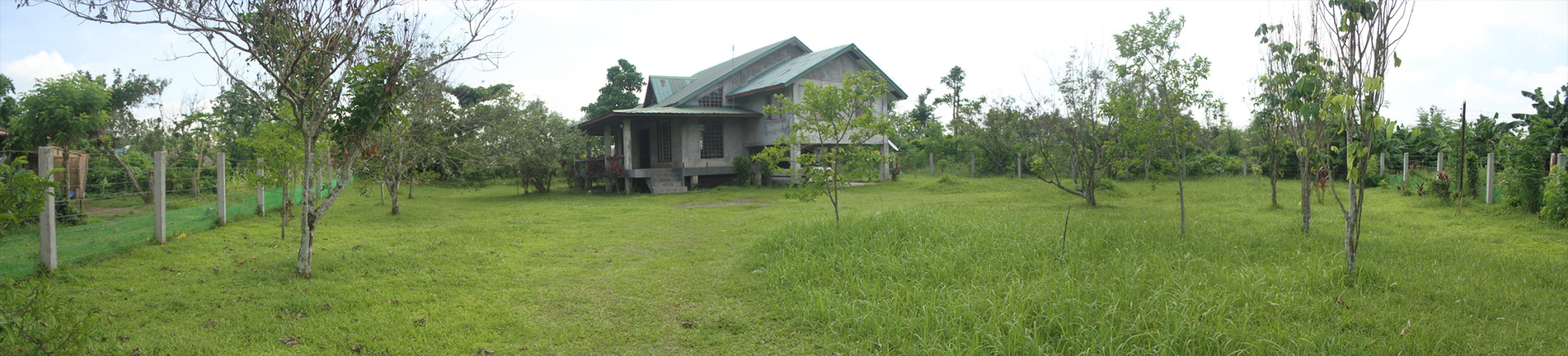
Here are examples of Panoramas:


Wednesday, October 8, 2014

A Bridge I Thought I Wouldn't Cross


Adobe has a lot of branches when it comes to softwares which are mostly multimedia production related programs. In the Creative Suite series, one of the new addition to the family was Adobe Bridge. At first, Bridge was something I'd usually brush under the rug or panic when I accidentally click the "Browse in Bridge" option under the File menu in Photoshop and other Adobe products I'd usually use but since its a requirement for us to study the mentioned program, I've found reasons to appreciate and actually use it.

So what is Adobe Bridge exactly? To my understanding, it is a program that is hooked up to the Adobe System and Softwares, like the name, it bridges out to these other programs. Bridge's use is that you can organize files with its tagging, rating, and filtering system, process or edit files without having to open them one by one and do changes to several with one click but Adobe Bridge lacks the manipulating or editing capabilities like Photoshop or Lightroom so that's why its tied with the Adobe products.

In simpler terms, Adobe Bridge is used for organizing files.


In our second year in studying Multimedia Arts and having a Photography class this semester, we are automatically assigned to cover big events that happens around the campus. Since there will be more than one student to do the coverage, photos and videos that were taken during the events needs to be compiled for output submission of our organization and I asked one of my classmates, who was one of the photographers of the events, "Are they using Bridge for the files?" and they said "No." and I answered "Well, they should.".

Saturday, September 27, 2014

Aware and Affect

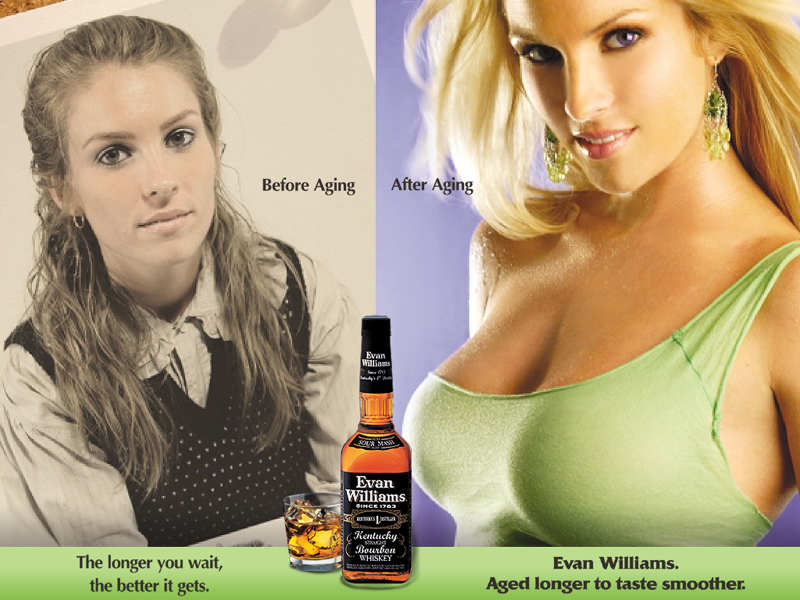
Everything around us can affect us, inspiration, influence or harm. Mostly psychologically which builds up the personality and perception of a person. Anything that we see and experience can have this effect. What more of something that we encounter everyday. People, events, feelings, signs, billboards, TV shows, the internet. One of the things that are mostly and on purposely shown to people are advertisements, their primary purpose is to inform, to make you aware but that doesn't mean that's the only effect.

Most of the advertisements that has people in it would represent for the product, its their stand that they approve and believe of this product or service, and you should too, but is that just the case? Other than what they say, people also look on what they wear or do in the said advertising material and what is shown is said or implied to be ideal. Like children's TV show, they would have lessons and teach kids what should or should not do, for teenagers and above, we don't need a show to tell us what to do, its their own responsibility of how to process the things they see and experience.

An example effect of this would be gender roles in media, there would be ads showing how a man or woman would act or look in the advertisement and people would perceive it that it's what's in or how to be acceptable.


Some advertisements also conveys a message, a virtue, or an advocacy and showing it through an advertisement is a nice way too since ads makes you aware, why not be aware of what we should really do? For the better.


==============

image sources:
http://www.newyorker.com/business/currency/woman-man-bourbon
https://www.youtube.com/watch?v=qGJSI48gkFc